









SSD Cache Planning on Synology: When to use and how to size in Australia
Use SSD cache only where it solves a clear bottleneck and verify gains with simple before and after checks.
See Synology NAS range
Explore models suited to home, creators, and small business in Australia.
Browse SynologyOverview
SSD cache can accelerate small random reads or writes on HDD volumes when the working set fits within cache size.
It is not a replacement for a full SSD volume when low latency is required across all data.
When SSD cache helps
Look for workloads with hot subsets of data and many small operations.
- Catalogs and previews for photo libraries
- Small files and indexes for team projects
- VM metadata and application temp files
Cache types and media
Choose read only or read write cache based on risk and workload.
- Read only cache - lower risk and simple to deploy
- Read write cache - faster writes but requires safe shutdown and good power conditions
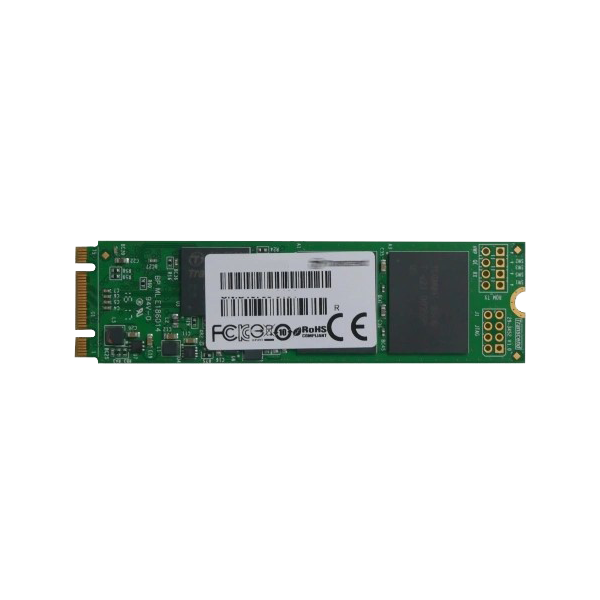
- Use NAS or data center grade SSDs with sustained write endurance
Sizing the cache
Size to cover the active working set rather than the entire dataset.
- Start with 5 to 10 percent of the active data size
- Increase only if hit rates remain low after a learning period
- Keep spare capacity on SSDs to maintain performance
Setup steps
A short sequence keeps deployment predictable.
- Confirm slot compatibility and install SSDs
- Create read only or read write cache in Storage Manager
- Warm the cache by running typical workloads before measuring impact
Monitoring and tuning
Track hit rate and latency to verify benefits.
- Use performance graphs to watch cache hit rates
- Adjust cache mode or size if results are weak
- Revisit after DSM or application updates
Common pitfalls
Avoid these mistakes that reduce value.
- Using cache to hide failing disks or poor network paths
- Sizing too small for the active set
- Expecting cache to speed up large sequential transfers
FAQs
Short answers to common cache questions.
- Will cache help Plex streaming - not much for large sequential reads
- Do I need two SSDs - mirror pairs add resilience for read write cache
- Should I pick NVMe or SATA - pick what your model supports and size for endurance first
Need technical support or more detailed guidance? Please contact Synology via our Synology Support – Australia page. It includes ticket, Live Chat, warranty and downloads links.